ROCCO CLEANER: STORAGE CLEANUP

Swipe your photo gallery clean.

Right to keep, left to delete. Every photo shows what it costs you in megabytes, and the total adds up as you go — so you know what you are getting back before you confirm.

Deleting your own photos is free · No daily limit · No ads

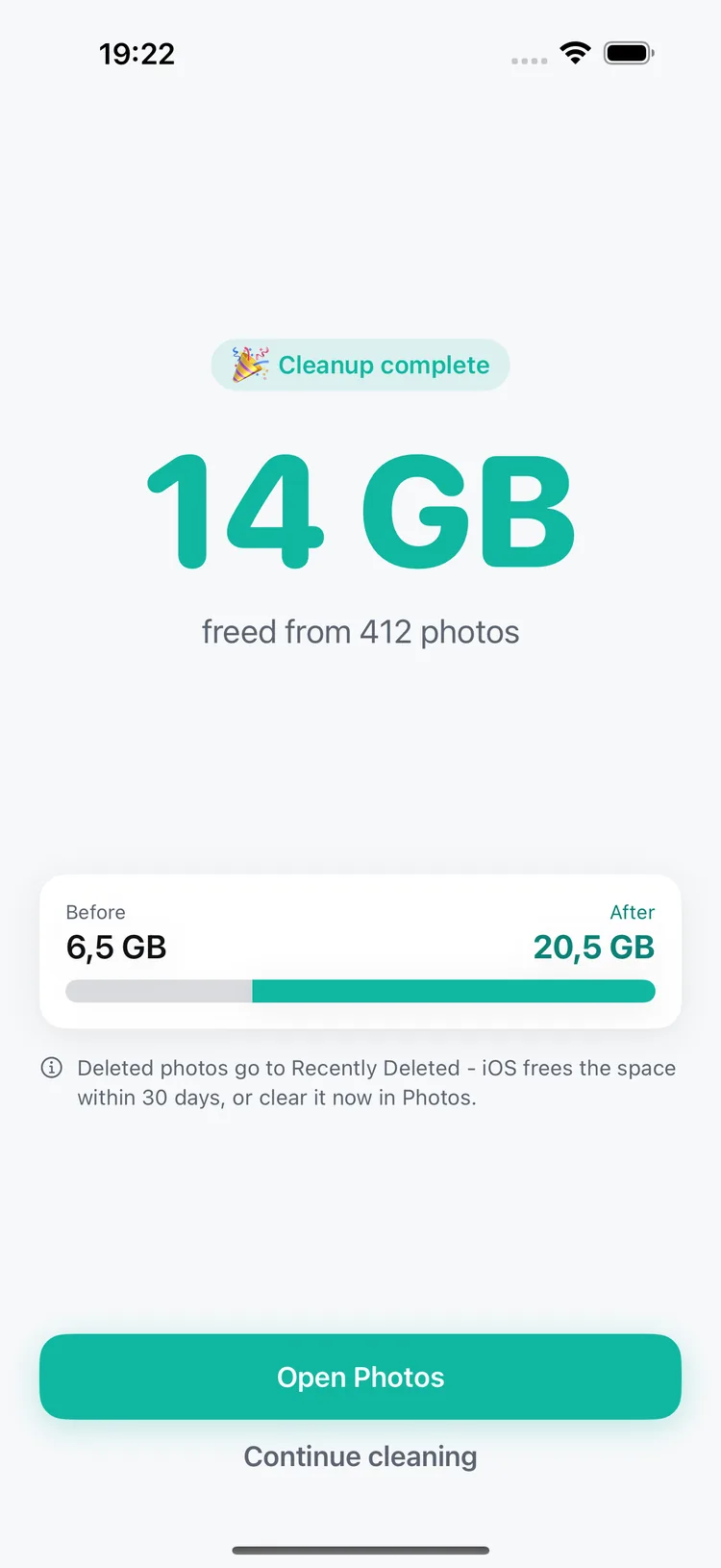
Rocco Cleaner cleanup summary showing 14 GB freed from 412 photos.

How Rocco Cleaner works

Two ways in — pick whichever suits the mess you have. Neither deletes anything until you review and confirm.

CLEAN UP

Let Rocco find where the space went.

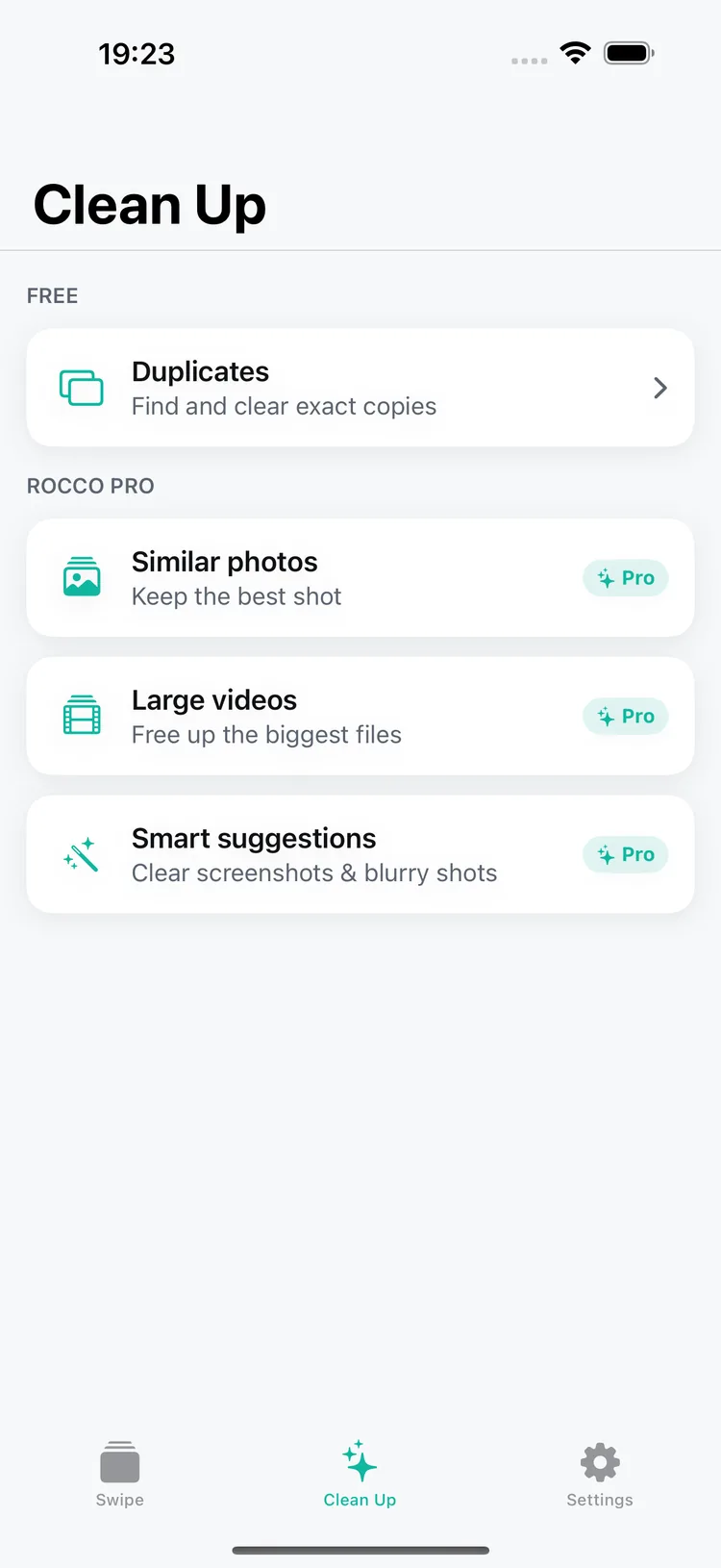
The Clean Up tab scans for you and hands back a list to review: duplicates, near-identical shots, large videos, or screenshots and likely blurry photos.

Clearing exact duplicates is free, with no daily cap.

The Rocco Cleaner Clean Up menu listing duplicates, similar photos, large videos and smart suggestions.

SWIPE

Or go through them yourself.

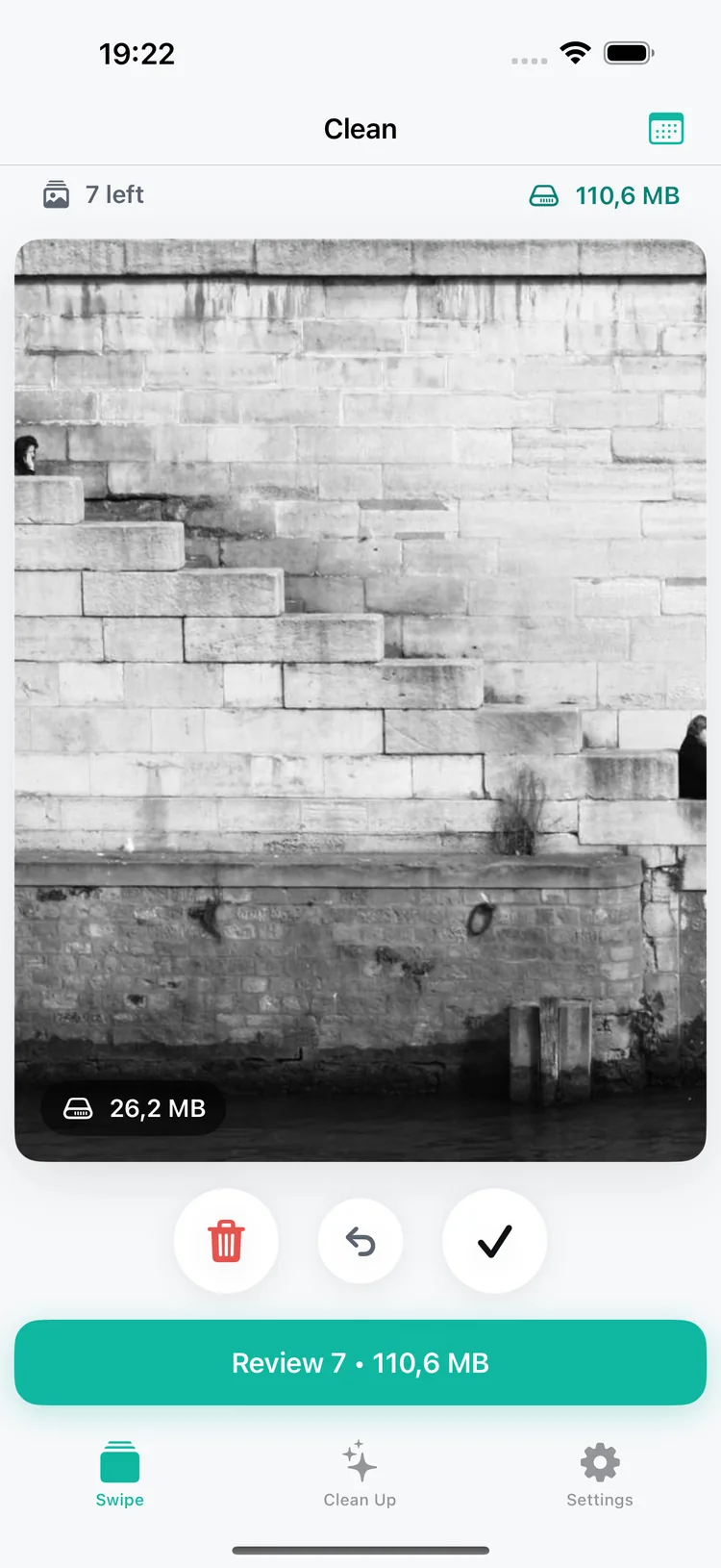
The Swipe tab deals you one photo at a time — right to keep, left to mark for deletion. Pick a scope first: all photos, just screenshots, or a single month. Each photo shows its size, and the running total says what the batch will free.

Changed your mind? Undo puts the last photo straight back.

A photo in the Rocco Cleaner swipe deck showing its size and the running total.

EITHER WAY — YOU CONFIRM

Nothing goes until you say so.

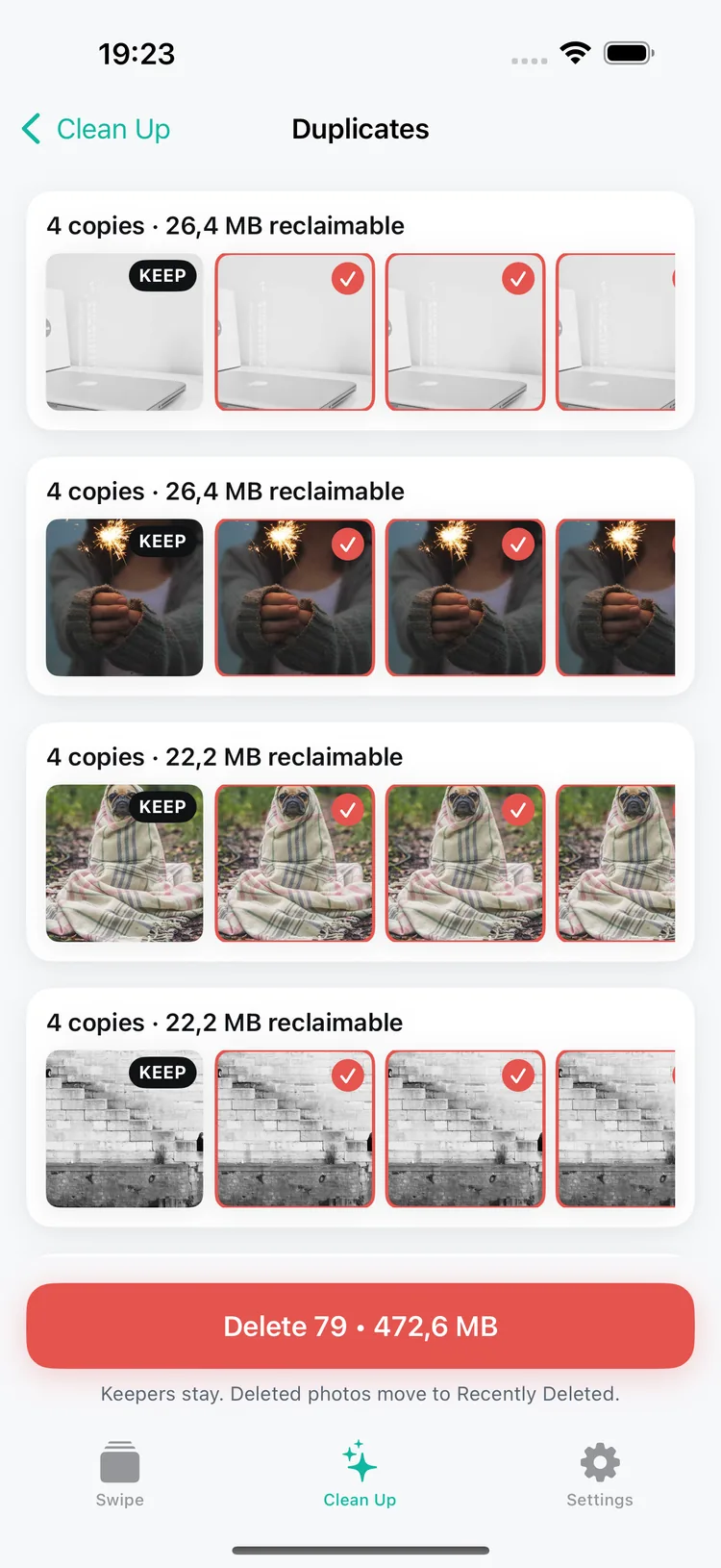
Whichever route you took, you see the selection and the real amount you reclaim before deleting. In duplicate groups Rocco always protects one photo, so a group can never be emptied completely.

Removals go through your system photo library — Recently Deleted on iPhone, Trash on Android — so they stay recoverable for about 30 days.

Duplicate groups in Rocco Cleaner with one copy marked Keep and a delete button showing the reclaimable size.

KEEPING IT CLEAN

Galleries fill up again — take another pass.

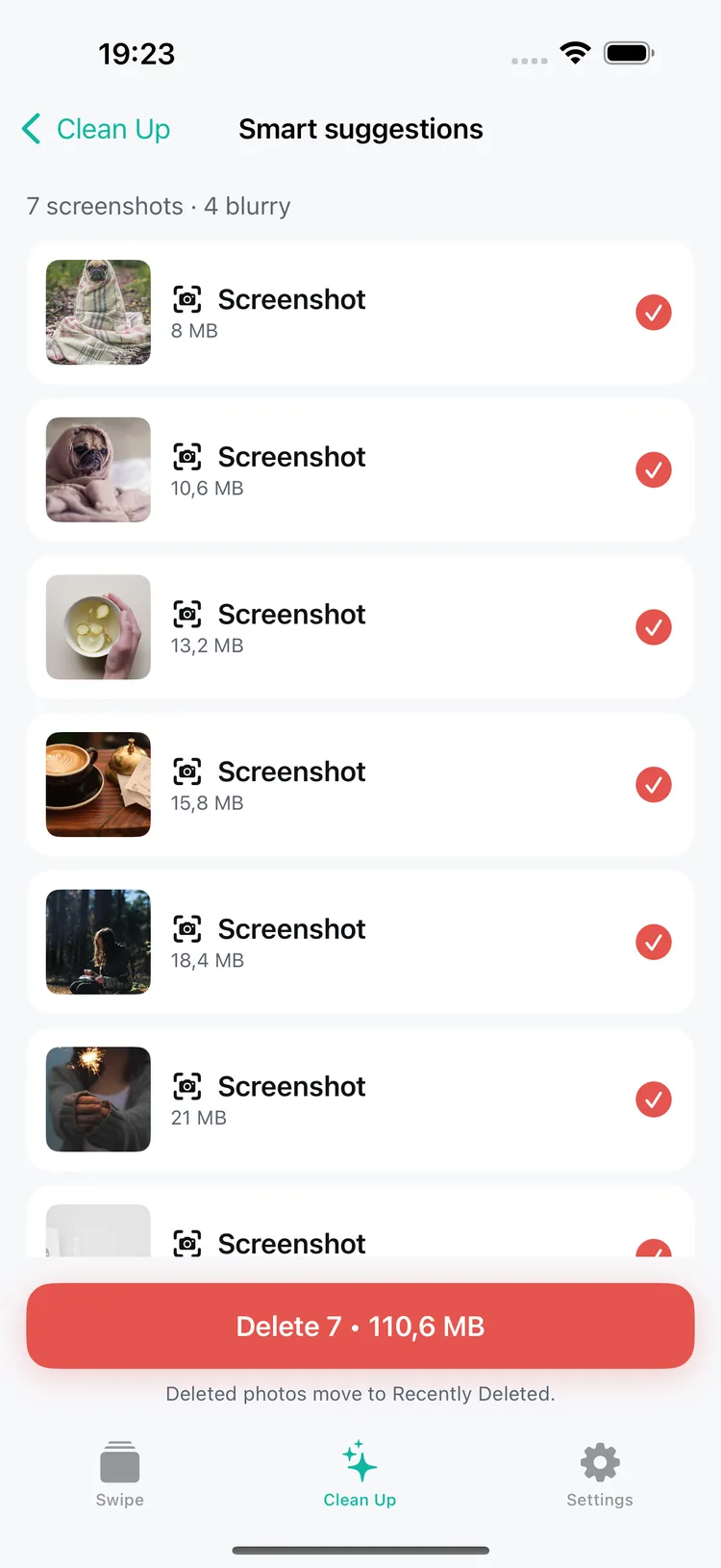
Screenshots and blurry frames pile up without anyone noticing. Smart suggestions gathers them into one review list, so clearing them is a single pass instead of an afternoon. Near-identical bursts have their own tool, Similar photos.

Large videos lists your biggest videos first, with each file's size visible before you choose.

Settings keeps a running Total reclaimed, so you can see how much the passes have added up to.

Smart suggestions and large videos are part of Rocco Pro.

Smart suggestions in Rocco Cleaner: 7 screenshots and 4 blurry photos, with the screenshots selected for deletion.

ON-DEVICE BY DESIGN

Your photos never leave your phone.

No Rocco account and no ads. Scanning, grouping and deletion all run on your device — Rocco does not upload, read, or store your photos on our servers.

Rocco deletes through your system photo library, so removed items land in Recently Deleted on iPhone or the Trash on Android and stay recoverable for about 30 days. Whether a deletion also syncs to iCloud or Google Photos follows the settings already on your phone.

What Rocco does send: pseudonymous usage analytics and crash diagnostics (always on), device and OS information, purchase and entitlement data through the App Store, Google Play and RevenueCat, and any message you write to support. None of it includes your photos. Rocco does not use an advertising identifier or track you across other apps or websites.

On iPhone you do not have to hand over the whole library: you can grant access to selected photos only, and add more later from Settings.

Read the Privacy Policy

WHAT'S INCLUDED

Deleting your own photos is free.

You should never have to pay to delete photos you took. Swiping, deleting and clearing exact duplicates have no daily cap and no paywall. Pro adds the finders that do the hunting for you.

FREE

  • Swipe through everything, just your screenshots, or one month at a time
  • No daily limit and no ads
  • Find and clear exact duplicates
  • See the real size of every photo and the running total
  • Undo the last swipe, and review everything before you confirm

ROCCO PRO

  • Similar photos — review near-identical bursts with one shot protected in each group
  • Large videos — your biggest videos, largest first
  • Smart suggestions — screenshots and blurry shots, gathered for you
  • Choose how strictly similar photos are grouped: Strict, Balanced or Relaxed

Pro is optional. Your store shows the current local price, renewal terms, and any trial eligibility before you buy.

Frequently asked questions

Is Rocco Cleaner free?

Deleting your own photos is free, with no daily limit and no ads. Clearing exact duplicates is free too. Pro adds similar-photo detection, large videos and smart suggestions.

Do I need an account?

No. Rocco has no sign-up and no account. Grant access to your photo library and you can start immediately.

Where do deleted photos go?

Rocco deletes through your system photo library, so they move to Recently Deleted on iPhone or the Trash on Android and stay recoverable for about 30 days. Empty that album yourself if you want the space back sooner.

Can I lose the only copy of a photo?

Rocco always protects one photo in every duplicate group, marked Keep, so a group is never emptied. Grouping is based on matching dimensions and file size, so review the group before deleting — and everywhere else you confirm each selection yourself. Removals stay recoverable in Recently Deleted or the Trash either way.

What data does Rocco collect?

Pseudonymous usage analytics and crash diagnostics (always on), device and OS information, purchase and entitlement data, and any message you send to support. Your photos are never part of it. We do not use an advertising identifier or track you across apps or websites. See the Privacy Policy for details.

How do I cancel or restore a purchase?

Manage or cancel a recurring subscription through the App Store or Google Play. To restore a purchase, open Settings → Restore Purchases in Rocco.

Does it work on videos too?

Yes, through Rocco Pro's Large videos view, which lists your videos biggest first with each file's size shown before you choose. The swipe deck itself deals photos only.

Get the space back.

Swipe through what you already have, see the megabytes add up, and confirm when you are ready.

Deleting your own photos is free · No daily limit · No ads