Big Text, Marquee & Signboard

Turn your phone into a full‑screen LED banner

Type a name, number, or message. Choose scrolling or static text, set the look, and tap Play.

App Store — Coming soon Google Play — Coming soon

Free to start. Ads never appear during playback. GlowText Pro is a one-time purchase, not a subscription.

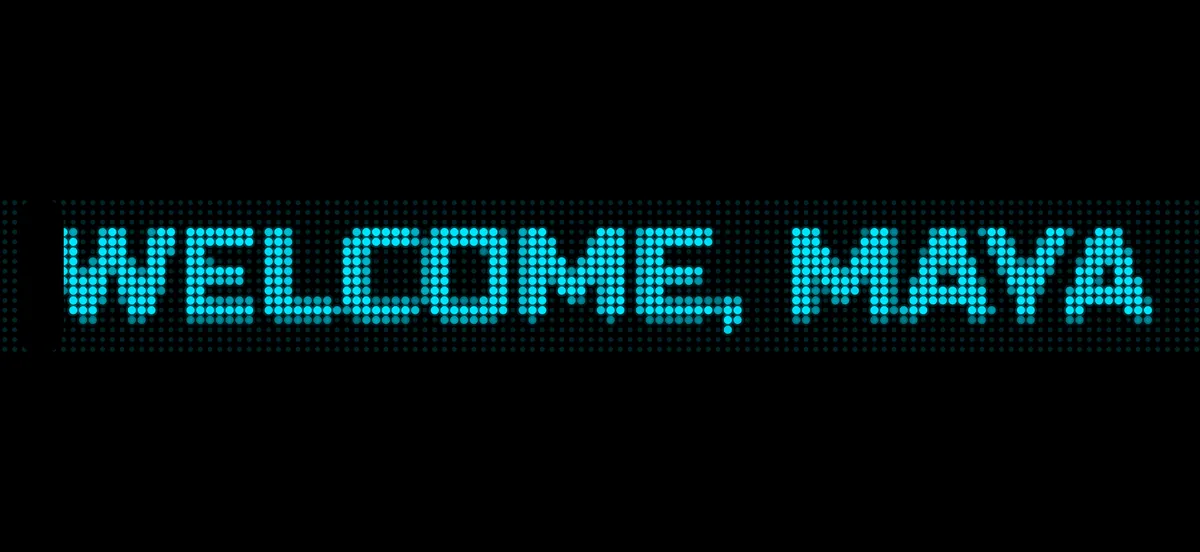
GlowText playing “WELCOME, MAYA” in cyan LED dot-matrix text across a landscape phone screen.

Make a banner in two steps

Start with a blank banner or any of seven free presets.

1 · Compose

Type it and set the look

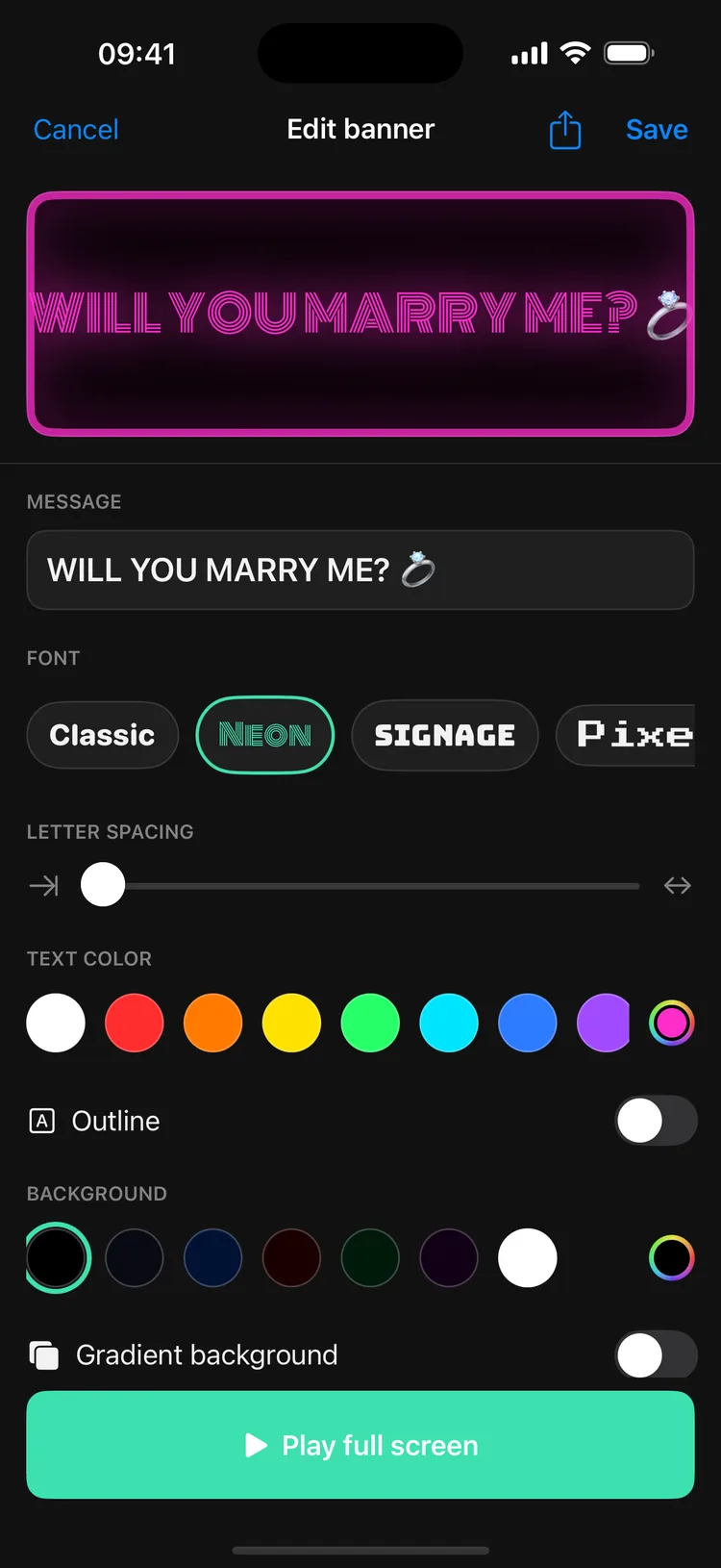
Enter a name, number, or message. The live preview updates as you choose the font, text and background colours, outline, letter spacing, size, speed, and direction — or switch to static text.

The editor keeps the live preview above the controls, with Play full screen always within reach.

GlowText editor with a live pink banner preview, message field, font choices, colour controls, outline switch, and Play full screen button.

2 · Play

Tap Play and hold it up

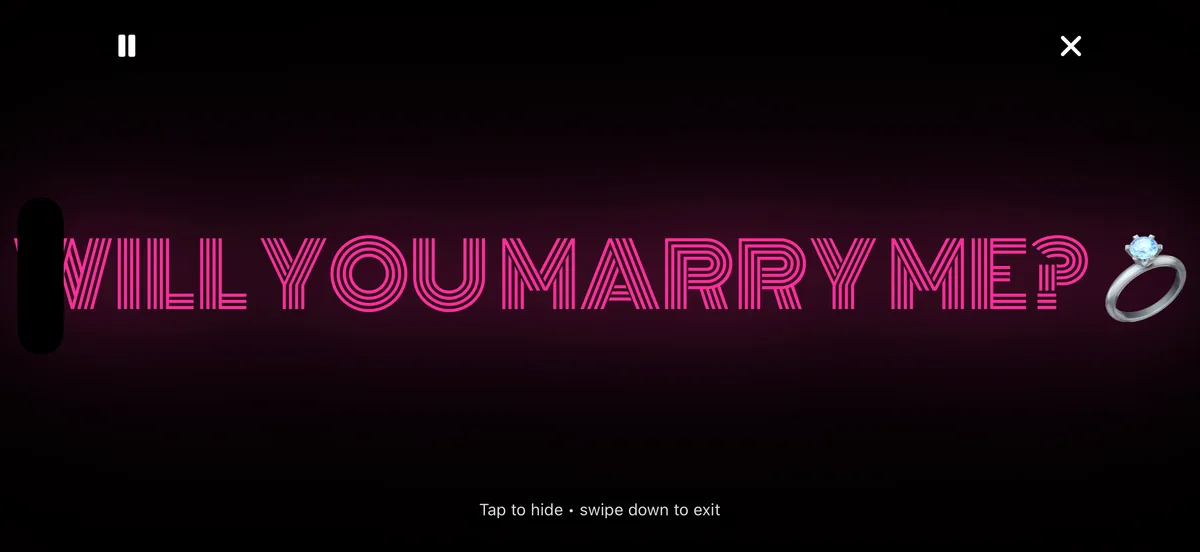
GlowText switches to landscape, fills the display, keeps the screen awake, and can raise brightness to maximum. Tap to hide the controls, use Pause when needed, or swipe down to exit.

Controls fade out of the way; the hero above shows LED dot-matrix mode, one of the looks you can build.

Landscape GlowText player showing “WILL YOU MARRY ME?” in pink neon with the pause and exit controls visible.

Ready for next time

Keep your go-to banners one tap away

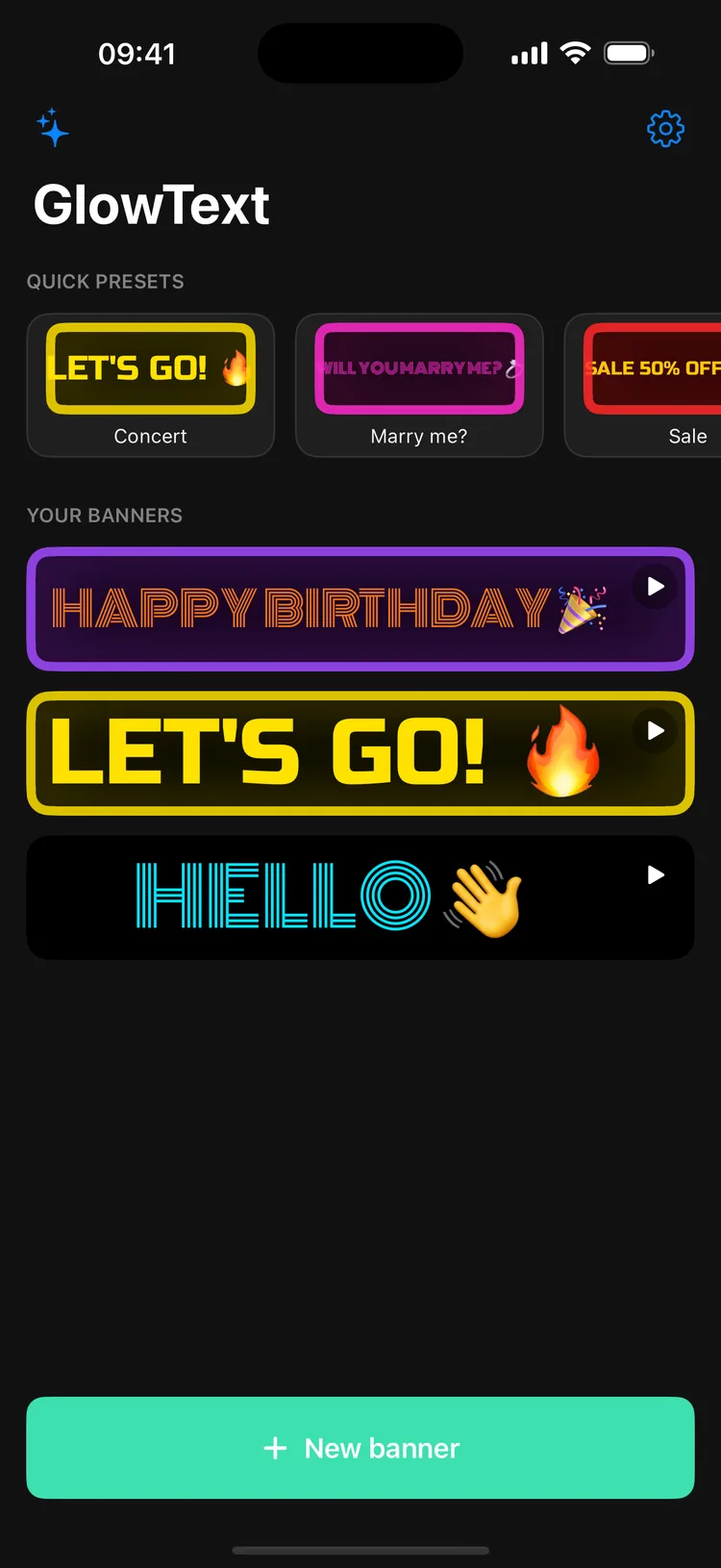
Saved banners stay on your device and can be edited or played again from Home. GlowText Free keeps up to three; Pro removes the app's save limit.

Need a file instead of the screen? Export a banner as an animated GIF or MP4 and share it from your device.

No GlowText account and no in-app cloud sync.

GlowText Home screen with Quick presets and three saved banners ready to edit or play.

Clear limits, stated up front

Ads never appear on the playback screen

GlowText Free includes ads, but the full-screen banner stays ad-free.

Banner ads may appear on Home and in the editor; the editor banner hides while you type. Full-screen ads are skipped for the first two app opens, can appear only after you leave the editor, and are kept at least three minutes apart. Rewarded ads start only when you choose Try free.

Your banner content is stored on your device. We do not upload, read, or store it on our servers, and you do not need a GlowText account.

GlowText may collect limited app-usage and diagnostic data, device and OS information, and purchase or entitlement information. In the free version, Appodeal and its partners may use a device advertising identifier to serve and measure ads. On iOS, you can decline tracking permission. Pro removes ads; other limited data processing remains described in the Privacy Policy.

No GlowText account · Banner content not sent to us · Create and play offline · No ads in playback · One-time Pro

Read the full Privacy Policy
GlowText Free and Pro

Start free. Upgrade once for every premium style and no ads.

A banner made with Free features can be edited, played full screen, saved, and exported without Pro.

CapabilityGlowText FreeGlowText Pro
Ready-made presetsAll 7 presetsAll 7 presets
Core controlsScrolling or static text, speed, size, direction or alignment, colours, gradient, outline, letter spacing, edge lighting, and supported bold/italic stylesEverything in Free
FontsClassic, Neon, and Bold — 3 of 8All 8: Classic, Neon, Signage, Pixel, Script, Bold, Condensed, and Techno
LED dot-matrixCircle, square, star, and heart dotsSame
Motion extrasEdge lighting; Blink or Pulse can be tried for the current session through an optional rewarded adBlink, Pulse, all 5 animated backgrounds, and strobe
Saved bannersUp to 3 on the deviceNo app-set save limit
ExportGIF or MP4 for banners using Free or session-unlocked featuresGIF or MP4 with every style
AdsAds outside playback, under the limits explained aboveNo ads

In Free, Try free can unlock one selected Pro font or Blink/Pulse effect for the current session after a rewarded ad. Animated backgrounds, strobe, and the three-banner save limit are not unlocked this way.

GlowText Pro is a one-time in-app purchase. It does not renew, and there is no subscription. Your store shows the local price before you confirm.

Frequently asked questions

Can I use GlowText for free?

Yes. All seven presets and the complete core flow — edit, play, save up to three banners, and export with Free styles — are available in GlowText Free. The free version includes ads outside playback.

Will an ad interrupt my banner?

No. Ads never appear on the full-screen playback screen. GlowText Free may show ads on Home or in the editor; GlowText Pro removes them.

Is GlowText Pro a subscription?

No. GlowText Pro is a one-time in-app purchase. Nothing renews. It removes ads and unlocks the five additional fonts, Blink and Pulse effects, five animated backgrounds, strobe, and banners without an app-set save limit.

Does GlowText need an account or an internet connection?

No account is required, and GlowText does not upload your banner content to our servers. Creating, editing, saving, playing, and exporting work offline. A connection is needed for store purchases or restores and for ads to load.

Can my message stay still instead of scrolling?

Yes. Choose Static text and set left, centre, or right alignment. For moving text, choose the direction and scrolling speed.

Can I share a banner?

Yes. Export it as an animated GIF or MP4, then choose a destination in your device's share sheet. Free export applies to banners using Free or session-unlocked features; Pro supports every style.

Put your next message on the whole screen

GlowText is coming soon. Download links will appear here as soon as each store listing is public.

App Store — Coming soon Google Play — Coming soon

No account required. Free to start. Optional one-time Pro purchase.